
Dedicated Server Configuration
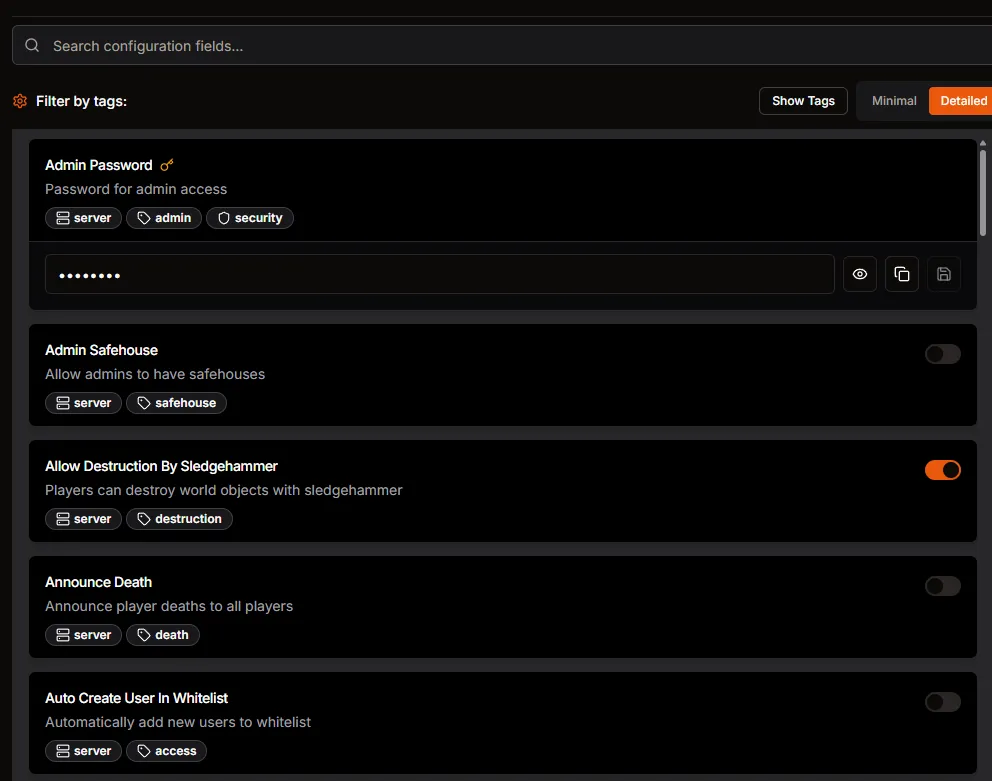
Configure your Project Zomboid dedicated server in HaruHost using grouped controls instead of manual text file editing.
Location
Section titled “Location”Game Servers →Your Game Server Name→ Auto Config
Update server identity and access
Section titled “Update server identity and access”- Set server name and description.
- Configure password and whitelist behavior.
- Save changes.
Tune gameplay and moderation
Section titled “Tune gameplay and moderation”- Review PVP and safehouse related options.
- Adjust communication and moderation settings.
- Save and restart when updates are complete.
Performance and stability
Section titled “Performance and stability”- Set memory values and startup options that match your host capacity.
- Validate changes with a restart and short gameplay test.