


General
Project Zomboid
Project Zomboid Server Guides
Project Zomboid dedicated server guides for setup, self hosting on Windows, mods, migration, configuration, restart, and automatic restart in HaruHost.
Read GuideBrowse Project Zomboid guides for setup, networking, troubleshooting, and server management with HaruHost.
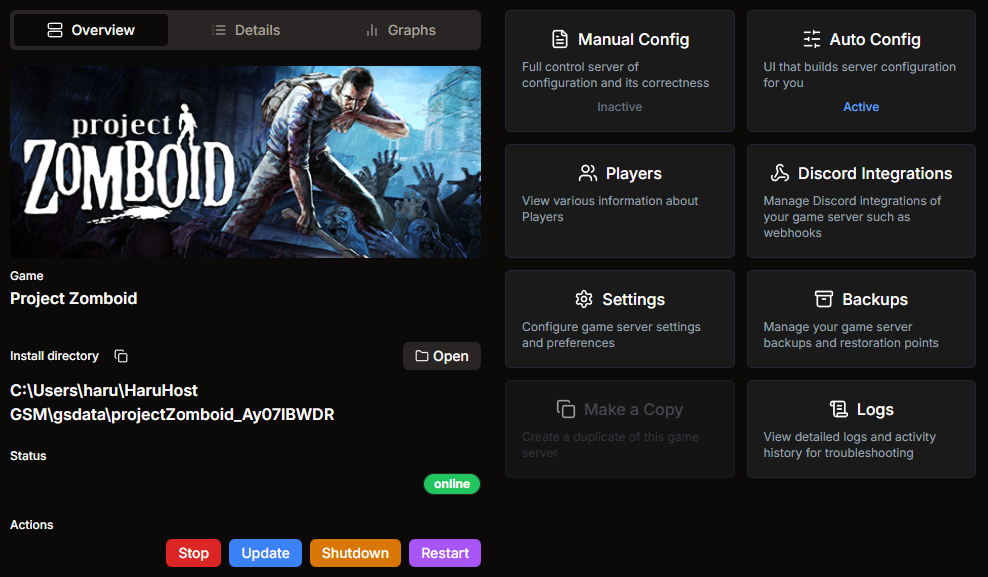
Project Zomboid dedicated server guides for setup, self hosting on Windows, mods, migration, configuration, restart, and automatic restart in HaruHost.
Read GuideLearn how to set up a Project Zomboid dedicated server in HaruHost with install steps, first startup checks, and connection basics.
Read GuideMigrate an existing Project Zomboid dedicated server to HaruHost with import steps, settings validation, and first restart checks.
Read GuideConfigure your Project Zomboid dedicated server in HaruHost with grouped settings for identity, gameplay, moderation, and performance.
Read GuideSet up automatic restart for your Project Zomboid dedicated server in HaruHost to reduce downtime during crashes and maintenance windows.
Read GuideLearn how to restart your Project Zomboid dedicated server in HaruHost and verify service health after restart.
Read GuideUse the Project Zomboid mod installer in HaruHost to search Workshop content, add mod IDs, and keep server mod lists organized.
Read GuideHow to connect to your own Project Zomboid server. If the server is not reachable yet, use HaruHost Tunnel first, then join with the tunnel IP and optional password.
Read Guide