 HaruHost
Project Zomboid dedicated server
Host your own Project Zomboid server
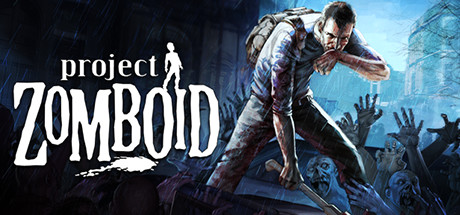
What HaruHost does for Project Zomboid
Track every survivor's playtime, skills and skill-ups, back up and restore characters, search chat and relay it to Discord, and install Steam Workshop mods.
Server Config
Edit the server's own config files in two views: parsed, where each setting is a switch, list or number field, or raw, as text on the Files tab. Both change the same files. It covers server settings, mods, the server's memory, sandbox options with your mods' settings, spawn points and spawn regions, and keeps settings changed in game.
Survivors, skills and roles
Everyone who joins, with playtime, skills and skill-ups. Give online and offline players the Admin or GM role, and kick and ban from the list or Discord.
Character backups
Export a saved character and restore it to the same account and character slot on its server. The previous character is backed up, and other players are kept.
Chat Logs
Search the server's chat history and send server announcements. With Discord Chat, global and local chat reach your channel and Discord messages appear in game as announcements.
On every Project Zomboid server, too
Windows
Run the server on any Windows PC, from the desktop app or the background service.
Linux and VPS
Run it on an Ubuntu VPS or a Linux home server, installed with one command and managed from the web panel.
Tunnel Paid
Friends join by the address on the server's Details tab (Favorites → add the server), the same way as any Project Zomboid dedicated server. No port forwarding, even behind CGNAT, through one of 14 regions.
Discord Chat Paid
Game chat appears in Discord, and Discord replies appear in game. Chat can also be shared between your servers, on any of your machines.
Mods
Steam Workshop mods install for you, and can be added from Discord.
Automation Paid
Restart, update, back up and post to Discord on a schedule, after a crash, when the game updates or when a player joins or leaves.
Backups Paid
Back up the world with a keep count, on demand or from an automation, and restore it in one step.
Files Paid
Upload and download server files in the browser, with folders as ZIP.
Discord bot Paid
From Discord, start, stop, restart and update the server, see who is online, kick, ban or unban players and give roles such as Admin.
HaruHost fixes game problems as Project Zomboid updates. Report anything in the HaruHost Discord.
Latest Project Zomboid changes
Project Zomboid. Project Zomboid servers now have one Server Config page instead of Auto Config, Manual Config and Config Variables.
Project Zomboid. Project Zomboid servers no longer have Auto Config.
Project Zomboid. You can now export a saved character from Players and restore it to the same account and character slot on its original server and world.
Project Zomboid server questions
Can HaruHost host Project Zomboid servers?
Yes. HaruHost runs Project Zomboid dedicated servers on Windows and Linux: friends can join through the Tunnel without port forwarding (paid plans), you see who is playing and for how long, chat history is searchable, game chat flows to and from Discord and between your servers (paid plans) and mods install from Steam Workshop.
Can I host Project Zomboid servers on Linux?
Yes. Project Zomboid servers run on Windows and Linux, and you manage them from the desktop app or the web panel.
Do my friends need port forwarding to join?
No. On a VPS, friends join at its public address. At home, the Tunnel (paid plans) lets them join through one of 14 regions without router changes. The server's Details tab shows what they need to join.
Can I see who is playing?
Yes. The Players page lists everyone who has joined, with playtime, sessions, last seen, skills and skill-ups. Kick and ban players from the list. Paid plans show every player; the free plan shows one.
Does HaruHost support Project Zomboid mods?
Yes. Steam Workshop mods install for you, and can be added from Discord.
Can I edit the Project Zomboid server's config files myself?
Yes. The Server Config page has a parsed view, where each setting is a field, and a Files tab with the raw files to edit as text. Both change the same files, so an edit in one shows in the other.
Other games communities host with HaruHost



The complete community suite, one command away.
One command on an Ubuntu VPS, or an installer on Windows. One plan for every server you run, from €4.99 a month.