
Core Keeper Server Manager for Windows
Run a self-hosted Core Keeper server with a clearer connection story. HaruHost helps you get it online, make it reachable with Tunnel, and hand players the exact Direct Join IP and password they need.
Pick the Core Keeper path you need first
Start here if your main job is getting yourself or friends into the server with the exact Direct Join IP and password HaruHost provides.
Use this path when the server works locally but internet joins fail, or when you want the easiest route around difficult home-network setups.
Open the Core Keeper guides hub for the current connection documentation and future maintenance guides as they are added.
Start with the Core Keeper problem you want to solve
The strongest HaruHost story for Core Keeper is not a generic control panel. It is a clearer direct-join workflow, an easier Tunnel path for awkward networks, and the core maintenance tools you need once the server is live.
Connect to Your Own Core Keeper Server Without Guesswork
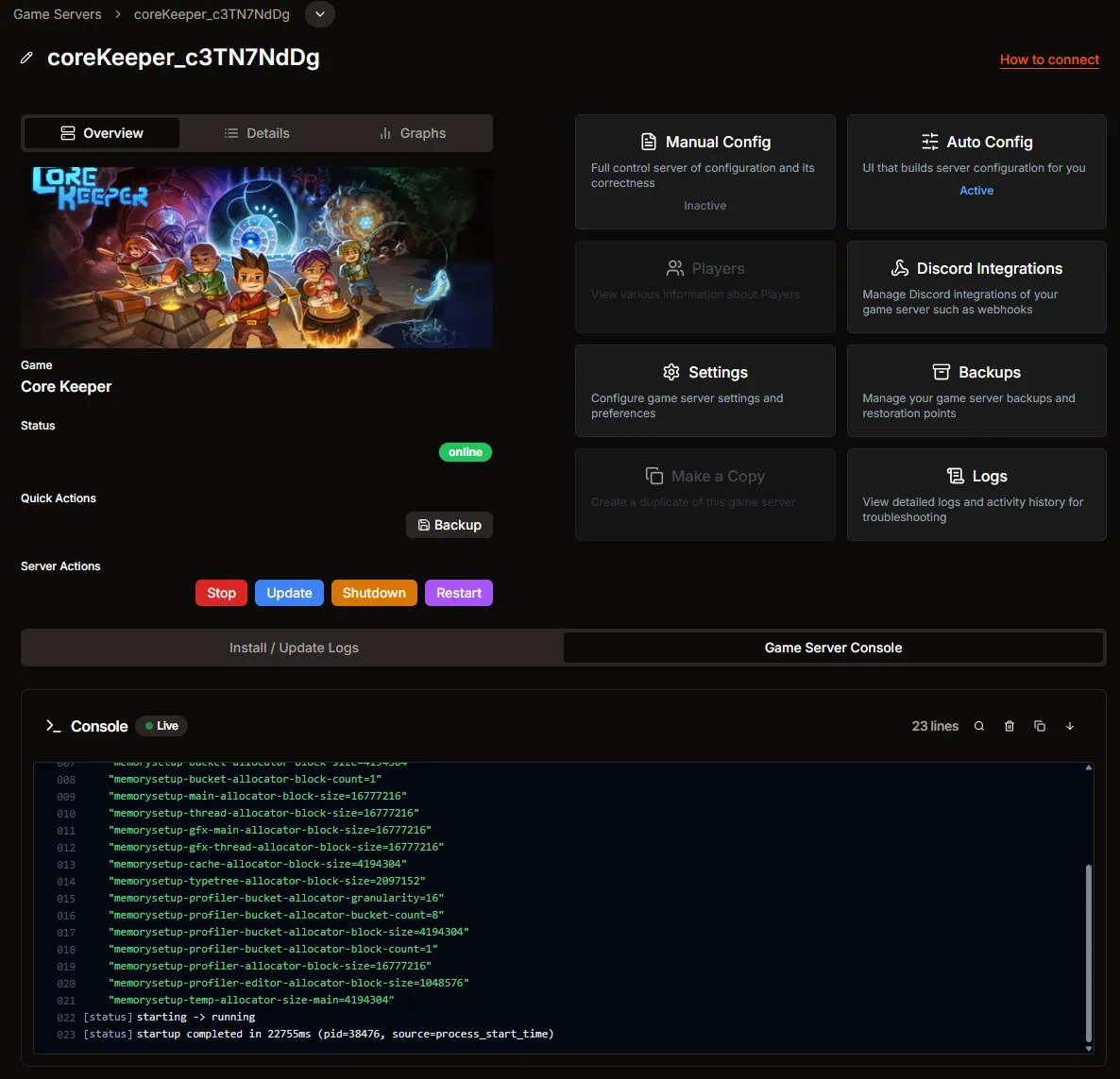
The real Core Keeper flow in HaruHost starts on the server page, handles the offline and starting states inside the guide, then walks players through Join With IP using the exact Direct Join IP and Server Password values.
Start from the real Core Keeper server page in HaruHost and open How to connect when you want the exact join path.
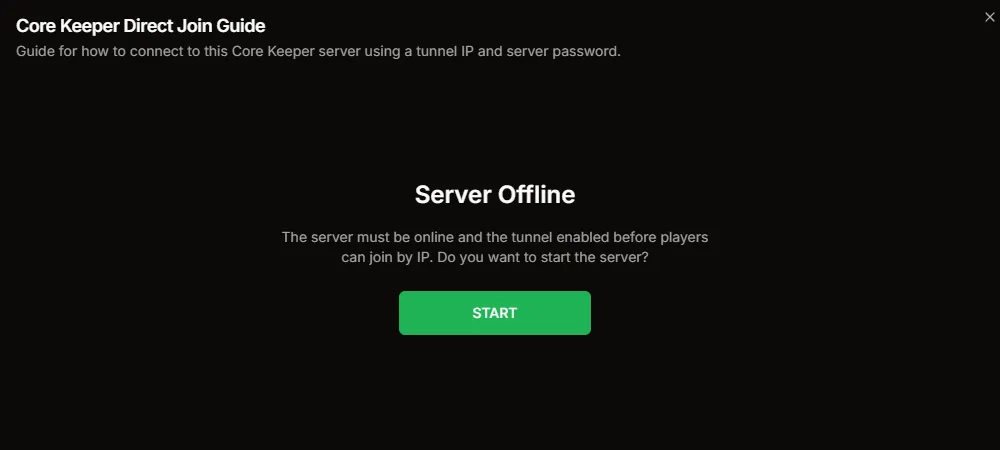
If the server is offline, the guide does not dump you into a dead end. It shows the start prompt directly in the connection flow.
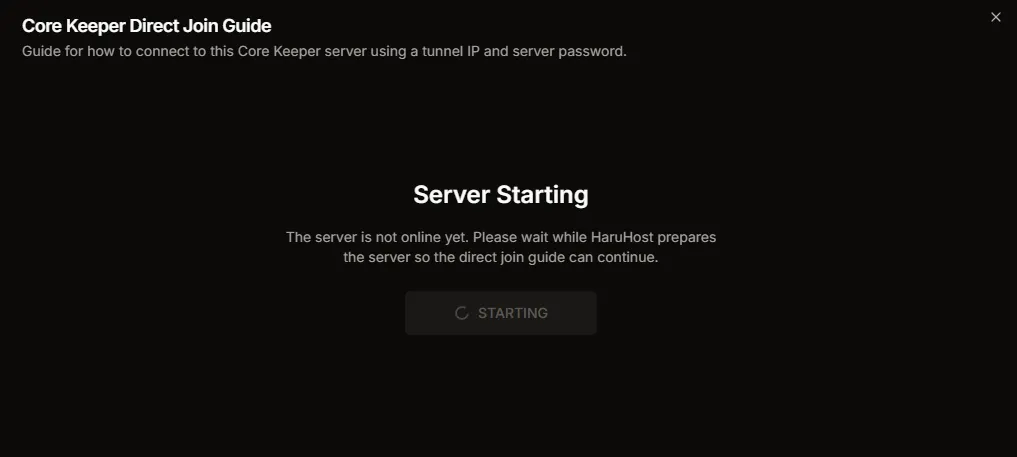
HaruHost keeps the guide open while the server is still starting so the operator can stay in one place instead of checking several panels.

Once the server is ready, the player-side steps are simple: open Join Game from the Core Keeper main menu.

Core Keeper uses the Join With IP path, so HaruHost is designed around giving you the exact address rather than vague discovery instructions.

Copy the Direct Join IP and the Server Password from HaruHost, then paste them into Core Keeper without guessing which values matter.

After the join succeeds, the remaining steps are straightforward and feel like a normal in-game flow instead of a networking troubleshooting session.

The end goal is simple: get the server reachable, use the exact values HaruHost shows, and load into the Core Keeper world cleanly.
Make Core Keeper Reachable Without Router Guesswork
HaruHost Tunnel is the cleanest answer when you want Core Keeper to be reachable outside your LAN without relying on manual router changes, fragile network assumptions, or the wrong type of public address for the game.
- ✓ A better fit for home networks where direct reachability is awkward
- ✓ Useful when CGNAT or ISP/network limitations make normal exposure unreliable
- ✓ Keeps the connection story centered on the direct IP players should actually use

Use Network Helpers When Core Keeper Reachability Needs More Than Tunnel
Sometimes the problem is not only whether the server is online, but whether the local networking is actually configured correctly. HaruHost includes the same broader network helper tooling here too, so ports, firewall rules, and reachability checks stay visible.
- ✓ Review the ports Core Keeper actually uses instead of guessing
- ✓ Use firewall helpers and related networking tools when manual reachability is the real issue
- ✓ Validate whether the server is actually reachable before blaming the join flow
Core Keeper Auto Config Without Raw Launch Argument Guesswork
Core Keeper is not just a raw executable wrapper in HaruHost. It uses the Core Keeper auto-config path to persist server values like world settings, generated access values, and launch-relevant fields, then turns those into a working launch configuration.
- ✓ Backed by the real `core_keeper_config` auto-config kind
- ✓ Generates launch values like Game ID and Password when they are missing
- ✓ Keeps Core Keeper setup inside HaruHost instead of pushing everything into manual batch-file edits
Automate Core Keeper Backups and Routine Maintenance
Core Keeper maintenance should not depend on remembering the next manual step. HaruHost gives you backup scheduling, retention control, destination control, and recurring update support so routine upkeep can be automated instead of improvised.
- ✓ Choose a backup destination and retention policy
- ✓ Schedule recurring backups instead of relying on manual memory
- ✓ Use recurring updates so patching does not depend on constant operator attention
- ✓ Keep Core Keeper maintenance inside the same workflow as the rest of your server management
Use Graphs and Analytics When Core Keeper Does Something Weird
When installs, updates, or launches go sideways, HaruHost keeps the operational views close at hand. Use graphs and analytics to see CPU, RAM, and server-state behavior around the problem instead of troubleshooting blind.
- ✓ Review CPU and RAM behavior without turning the page into a player-count story
- ✓ See broader system and server trends instead of troubleshooting blind
- ✓ Keep Core Keeper operations inside the same monitoring workflow as your other servers
Read the Console When Updates or Launches Misbehave
Some Core Keeper problems are not connection problems at all. HaruHost keeps the game server console visible so you can see install output, startup issues, and the messages that explain why the server did not reach the state you expected.
- ✓ Watch install and update output without leaving the manager
- ✓ Catch startup failures earlier instead of guessing from symptoms
- ✓ Use the console as the first stop when the server is not reaching the ready state
HaruHost Features for Core Keeper
- How to Connect
Use the Core Keeper connection guide in HaruHost when you want the exact Direct Join IP and password instead of leaving players to guess which values matter.
- Tunnel
Use HaruHost Tunnel when Core Keeper needs to be reachable over the internet but normal port forwarding is awkward, unavailable, or blocked by CGNAT and similar home-network problems.
- Network Helpers
Use HaruHost network helpers to configure ports, firewall rules, UPnP port forwarding, interface selection, and basic reachability checks when Core Keeper needs more than a single direct-join answer.
- Auto Config and Launch Config
Core Keeper uses a real auto-config-backed launch path in HaruHost. Server values are persisted in the Core Keeper config kind and used to generate a working launch configuration instead of leaving the whole setup to hand-written batch arguments.
- Backups and Recurring Updates
Back up Core Keeper save data with scheduling and retention control, then keep maintenance moving with recurring update workflows instead of relying on manual reminders.
- Server Details and Logs
View and copy important Core Keeper server details like connection values, ports, and install metadata, then use the log views to inspect install issues, update problems, and launch output when the server does not behave as expected.
- Graphs and Analytics
Watch CPU and RAM graphs for the server and host system and use HaruHost analytics views to inspect longer-running Core Keeper trends without troubleshooting blind.